🖥️ Portable Monitors for Digital Nomads


TLDR
- Portable monitors for digital nomads provide a second screen that boosts productivity for multitasking, coding, and content creation without weighing down a travel setup.
- Key features to look for in 2026 include USB-C connectivity, weight under 2 lbs, pass-through charging, and panel type (IPS vs OLED).
- Models range from budget-friendly options under $200 to premium lightweight 4k portable monitors that suit creative work.
- Modern setups often utilize a dual screen nomad setup or even triple-screen arrays like the Monduo Pro Duo for maximum efficiency.
- Understanding your workflow helps you decide if a folding second screen for travel is worth the extra baggage space.
One of the realities of working on the road is that a single laptop screen often feels too small for real productivity. I remember the first time I tried working from two apps side by side on a 13-inch screen while hopping between locations. It was a struggle, and that is when I first picked up a portable monitor for digital nomads.
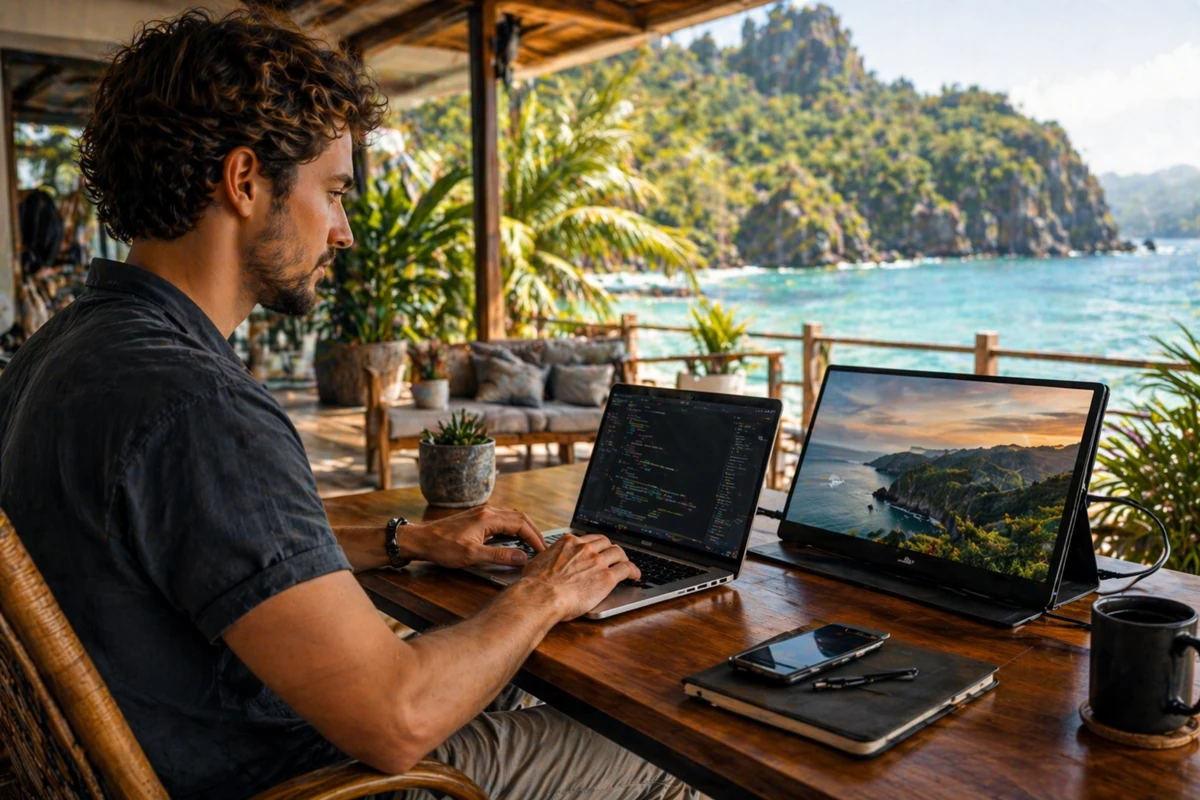
That simple addition transformed how I worked in cafés, airport lounges, and Airbnbs alike. Portable monitors are not a luxury anymore; they have become a practical tool for anyone maintaining a dual screen nomad setup.
Whether you are comparing spreadsheets next to a video call, editing photos while referencing notes, or just managing email and tasks more comfortably, a second screen makes your setup feel more like a real office.
Studies suggest dual-screen setups can boost productivity significantly because they reduce window-switching and streamline workflows.
🛠️ What Makes a Good Portable Monitor for Nomads
To choose a best travel monitor that works well for remote work, focus on a few core characteristics. The first is portability. Nomad-oriented displays are designed as an ultra thin portable monitor for laptops so they slip into a best travel backpack without creating bulk.
📋 Essential Tech Specs to Check
- Weight: Aim for under 2 lbs (approx. 900g). Top models like the ASUS ZenScreen OLED MQ16AH weigh as little as 0.79 lbs.
- Connectivity: The best usb-c travel monitors use DisplayPort Alternate Mode, allowing a single cable to handle power and video.
- Brightness: Look for at least 300 nits. If you work in sunny cafes, prioritize 400 to 500 nits to combat glare.
- Pass-Through Charging: This allows you to power your laptop and monitor from one wall outlet, keeping your 15 gadgets every digital nomad needs list organized.
Panel quality is another vital factor. IPS panels deliver good viewing angles, while lightweight 4k portable monitors or OLED models offer deeper contrast for creative tasks.
High-resolution screens are especially popular as portable monitors for macbook air users who want to match the Retina display sharpness.
According to research on workstation ergonomics, proper screen placement is essential for long-term health.
🚀 Benefits for Digital Nomads
So what does a portable monitor actually do for you? First, it dramatically expands your digital workspace.
Tasks like tracking analytics while using best budgeting apps for digital nomads become seamless. Instead of toggling windows back and forth, you spread them across screens in a way that feels natural.
🌟 Why a Second Screen Wins
- Multitasking: Keep Slack or email open on one screen while you work on the main project on the other.
- Presentations: Turn the monitor toward a client during a meeting while you keep your notes private on your laptop.
- Ergonomics: Using a folding second screen for travel allows you to position your workspace more effectively at the best coworking spaces in southeast asia.
- Lifestyle: It is about freedom; the idea that you do not have to live where you are going to die just to have a professional office.
Versatility goes beyond work. A lightweight 4k portable monitor can double as an entertainment screen for movie nights or gaming on your travel wifi hotspot after the workday ends.
🎨 Popular Styles and 2026 Market Leaders
There is a diverse range of portable monitors available today, each catering to different needs. At the more affordable end are budget-oriented monitors that still offer solid productivity performance.
🏆 Top Rated Picks for 2026
| Model | Category | Key Highlight |
| HP Series 5 Pro (514pn) | Best Overall | WQXGA resolution with 100% sRGB & DCI-P3 color. |
| ASUS ZenScreen OLED MQ16AH | Best Display | 15.6-inch OLED at an incredibly light 0.79 lbs. |
| Monduo Pro Duo | Best for Power Users | Fold-out dual-screen system for a triple-monitor setup. |
| Innocn 15K1F | Best 4K Value | Sharp 4K OLED panel at a lower price point than big brands. |
| SideTrak Solo Pro | Best Touchscreen | Responsive touch for navigating the ultimate guide to best productivity apps. |
For creative professionals like those choosing photography gear for content creators, the ASUS ProArt series offers the color accuracy required for professional color grading. Meanwhile, budget models like the Arzopa Z1FC provide a functional dual screen nomad setup for under $150.
⚖️ When a Portable Monitor Makes Sense
Not every nomad needs one. If your daily routine involves simple writing or managing multi-currency bank accounts, a single screen might suffice. However, for a dual screen nomad setup, it becomes a multiplier for those managing complex top remote job boards or coding projects.
🔍 Is It Right For You?
- Creative Pros: Graphic designers and video editors almost always require the extra real estate.
- Collaborators: Remote workers with long stretches of collaborative meetings find that an additional monitor reduces window clutter.
- Minimalists: If you only travel with a 10L bag, the extra pound might be too much.
- Mac Users: Those looking for the best laptops for remote work often find that a 14-inch laptop paired with a portable monitor for digital nomads offers the perfect balance of mobility and screen real estate.
📉 Trade-Offs and Potential Pitfalls
Of course, there are trade-offs to consider before adding a monitor to your bag. Most rely on your laptop battery, which can be a drain during long sessions. You may need to keep best power banks handy to ensure you do not run out of juice mid-meeting.
⚠️ Common Limitations
- Battery Drain: Monitors without their own internal battery draw significant power via USB-C.
- Brightness: Basic models often struggle in outdoor environments. Look for higher nits if you enjoy beachside work.
- Stability: Some folio stands are flimsy. A folding second screen for travel with a built-in kickstand is generally more reliable on uneven café tables.
- Refresh Rate: Most productivity monitors are capped at 60Hz. If you are also gaming, look for 120Hz or 144Hz models.
📐 Choosing the Right Portable Monitor
When narrowing down your portable monitors for digital nomads search, prioritize size. A 14 to 15.6-inch screen strikes the best balance. For Apple users, searching for portable monitors for macbook air will lead you toward sleek aluminum models that complement the Mac aesthetic.
🛒 Buyer’s Checklist
- DP Alt Mode: Ensure your laptop’s USB-C port supports video output.
- Weight Balance: Check if the monitor makes your laptop tip over if it attaches to the lid.
- Protective Case: Most monitors come with a sleeve, but for nomadic life, a hardshell or rigid folio is better for preventing cracked screens in your bag.
- Connectivity Bonus: Dual USB-C ports allow you to plug in your charger on one side and your laptop on the other, creating a cleaner desk.
Don’t forget sturdiness. A magnesium alloy frame helps your folding second screen for travel survive the bumps of nomadic life, whether you are taking a bus or maximizing airline miles on a long-haul flight.
💡 Practical Tips From Experience
I remember working from a tiny desk in a crowded café in Southeast Asia. My first portable monitor for digital nomads was a modest 1080p screen. It was not fancy, but it made my workflow significantly smoother.
I have since learned that an ultra thin portable monitor for laptops with high brightness is worth the extra cost to avoid glare in sunny locations.
🛋️ Pro Setup Tips
- Anti-Glare: Matte screens are a lifesaver in rooms with overhead lights or windows behind you.
- Resolution Scaling: If you buy a 4K screen at 15 inches, you will likely need to scale the text to 150% or 200% to make it readable.
- Cable Management: Carry a 90-degree USB-C adapter to keep cables from sticking out the side of your monitor and getting snagged.
👋 Conclusion
Portable monitors are one of those gear upgrades that genuinely elevate your remote work experience. They strike a balance between mobility and productivity, giving you a dual screen nomad setup without the weight of traditional gear.
From lightweight 4k portable monitors to budget models, there is an option for every work style. Choosing the best travel monitor ensures your setup stays flexible and comfortable, whether you are coding in a hostel or managing a digital business from across the globe.
By focusing on connectivity, weight, and display quality, you can transform any temporary table into a high-performance workstation.