⌨️Best Portable Keyboard for Travel

TLDR
- A portable keyboard can significantly improve productivity for digital nomads who work from tablets, laptops, and smartphones.
- The Logitech Keys-To-Go 2, Logitech MX Keys Mini, Keychron K3 Max, NuPhy Air75 V2, and Microsoft Designer Compact Keyboard are among the strongest travel-friendly options available today.
- Weight, battery life, typing comfort, and device compatibility matter more than flashy features when you are constantly on the move.
- Ultra-compact keyboards save space, but slightly larger models often provide a better long-term typing experience.
- The best portable keyboard is one you will actually carry every day without noticing the extra weight.
There are few things more frustrating than trying to work efficiently on a cramped laptop keyboard for hours at a time. At first, it seems manageable. Then the days pile up.
Your wrists feel a little tighter, your typing slows down, and suddenly that tiny keyboard starts feeling like a compromise you never meant to make. For many digital nomads, a portable keyboard ends up becoming one of those surprisingly valuable pieces of gear.
It does not attract attention like a new laptop or smartphone, but it can dramatically improve comfort and productivity. The right setup allows you to create a functional workstation anywhere in the world.
Whether you are working from a tablet in a café, setting up a temporary workstation in an Airbnb, or simply wanting a better typing experience while traveling, the right keyboard can make a noticeable difference. The challenge is finding one that is genuinely portable without sacrificing usability.
🛠️ What Makes a Good Travel Keyboard?
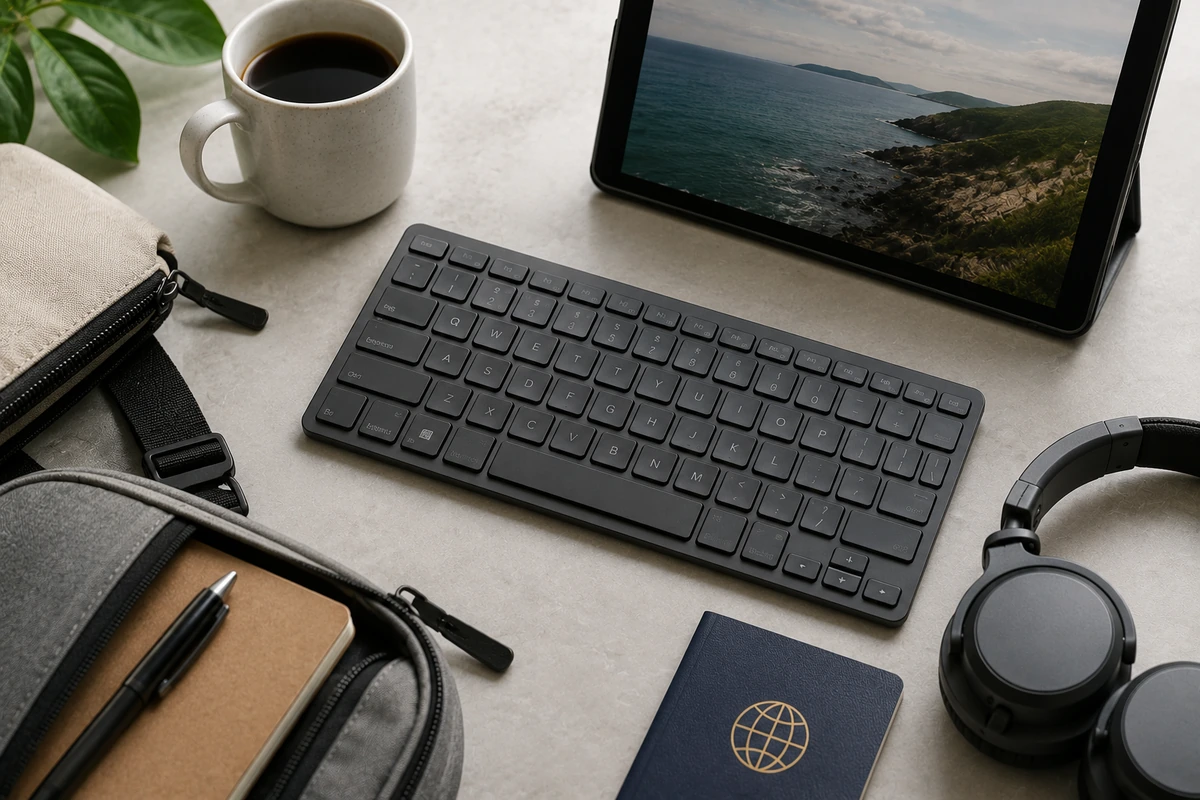
The obvious requirement is portability. A travel keyboard should be compact enough to fit easily inside a backpack without becoming an inconvenience.
If it feels bulky or heavy, there is a good chance you will eventually stop carrying it. High mobility demands lightweight travel keyboards that balance minimal physical footprints with excellent structural rigidity.
However, portability alone is not enough. Typing comfort matters just as much. A keyboard that saves space but feels unpleasant to use quickly becomes a poor investment.
For professionals who pull long hours typing out content, code, or strategic plans, choosing an ergonomic layout prevents physical fatigue during extended remote sessions.
Battery life is another important consideration. Frequent travelers do not want another device requiring constant charging.
Compatibility also deserves attention. The best travel keyboards connect seamlessly with laptops, tablets, smartphones, and multiple operating systems. A little flexibility goes a long way when your workspace changes every single week.
Key Selection Variables
- Total Weight: Ideally under 500 grams to keep your mobile bag agile and compliant with strict airline carry-on regulations.
- Switch Profiles: Low-profile options reduce structural thickness significantly while preserving clear tactile responsiveness.
- Power Architecture: Devices utilizing USB-C charging interfaces reduce the need to pack multiple proprietary power cables.
- Casing Protection: Built-in travel covers or hard shells guard mechanical structures against impact damage during transit.
📱 Logitech Keys-To-Go 2
The Logitech Keys-To-Go 2 stands out as one of the most travel-focused models currently available. Designed specifically for ultimate portability, it features an extremely slim profile and an integrated protective flip cover while remaining lightweight enough to disappear into most bags.
It serves as an excellent option for minimalist professionals looking for the best portable keyboard for travel. Despite its compact design, the keyboard offers a surprisingly comfortable typing experience.
The keys provide enough spacing to avoid the cramped feeling that often affects ultra-portable keyboards. The keyboard supports multiple operating systems, including Windows, macOS, iPadOS, Android, and ChromeOS, making it highly versatile for mixed hardware environments.
For travelers prioritizing minimal weight and maximum convenience, it is one of the easiest recommendations on the market. It functions perfectly when you need to quickly deploy a workstation on small coffee shop tables, trains, or tight airport lounge seating spaces.
💡 Expert Tip: Mobile Workstation Balance
When deploying compact wireless keyboards for nomads in mobile workspaces, pairing your peripheral with specialized dual screen hardware options yields a complete desktop-grade infrastructure inside a standard daypack.
💎 Logitech MX Keys Mini
The Logitech MX Keys Mini has become a favorite among remote workers, and for good reason. Unlike ultra-thin travel keyboards, the MX Keys Mini prioritizes typing quality while still maintaining a compact overall footprint.
It represents a premium option among top rated portable keyboards for individuals who reject typing compromises. The low-profile keys feel precise and comfortable, making long writing sessions much easier than on many smaller alternatives.
Spherically dished keys match the shape of your fingertips, which naturally assists accuracy. Multi-device connectivity is another major advantage; switching between a laptop, tablet, and smartphone can be done quickly with dedicated pairing keys.
For digital nomads who spend several hours each day typing, the balance between portability and comfort is particularly appealing. It delivers the premium performance expected of desktop gear without requiring heavy desktop storage space.
| Structural Feature | Specification Detail |
| Weight | 506 grams |
| Backlighting | Smart proximity sensing illumination |
| Charging Port | USB-C with fast charging capability |
| Key Mechanism | Perfect Stroke scissor switches |
⌨️ Keychron K3 Max
Mechanical keyboards have traditionally been terrible travel companions. They were often bulky, heavy, and designed primarily for fixed desktop setups.
The Keychron K3 Max challenges that assumption directly by shrinking the traditional mechanical blueprint down into an ultra-slim, low-profile frame. It is widely considered one of the best mechanical travel keyboards for demanding typing enthusiasts.
Its low-profile mechanical switches provide a typing experience that many users find more satisfying than conventional membrane keyboards, while maintaining a relatively slim and portable design.
The keyboard supports wireless connectivity, multiple operating systems, and various switch options depending on personal preference. This specific variant relies on a highly durable low-profile wireless mechanical layout for maximum tactile feedback.
For travelers who enjoy the tactile feel of mechanical keys but do not want to carry a large, heavy keyboard around the world, the K3 Max is worth serious consideration. It bridges the gap between classic desktop typing dynamics and modern nomadic infrastructure requirements.
💡 Expert Tip: Equipment Protection
High-grade mechanical hardware is vulnerable to fine dust and liquid damage inside transit luggage. Safely securing your tech within the specialized compartments of a durable travel backpack guards sensitive electronic switches from compression failures.
🚀 NuPhy Air75 V2
The NuPhy Air75 V2 has developed a strong reputation among enthusiasts who want a premium typing experience in a portable package. Like the Keychron K3 Max, it uses low-profile mechanical switches that help reduce overall thickness without sacrificing key feel.
It easily ranks among the best keyboards for remote work on the go due to its refined acoustics and rapid layout responsiveness. The build quality is impressive, particularly given its lightweight construction utilizing an aluminum top frame.
One aspect many travelers appreciate is versatility. The keyboard works across multiple platforms and can fit comfortably into a mobile workstation setup, sitting directly on top of many laptop built-in keyboards to save space.
It is not the smallest keyboard on this list, but many users consider the improved typing experience a worthwhile tradeoff. The tactile depth and custom firmware mapping make it highly efficient for software developers and creative professionals.
- Switch Customization: Hot-swappable sockets support fast hardware changes without soldering.
- Signal Rate: 1000Hz polling rate via 2.4GHz wireless connection ensures zero input delay.
- Visual Style: Unique keycap aesthetics with distinct color accents improve low-light visibility.
- System Controls: Physical slide switches allow immediate toggling between Mac and Windows configurations.
🧳 Microsoft Designer Compact Keyboard
Not every traveler wants mechanical switches, advanced customization, or premium pricing. Sometimes simplicity is the goal.
The Microsoft Designer Compact Keyboard focuses on delivering a clean, lightweight, and straightforward experience that integrates neatly into modern luggage arrangements. Its slim design makes it easy to pack, while Bluetooth connectivity eliminates the need for additional adapters or cables.
The keyboard works particularly well for users who value portability above all else and want a reliable companion for everyday productivity tasks without adding weight to their loadout.
For writers, students, and remote professionals seeking a simple solution, it remains a practical option. The optimized key spacing ensures you can work comfortably for several hours without missing a beat.
🔍 Read More
Maximizing hardware performance represents just one layer of remote operational planning. Proper maintenance of global medical coverage options guarantees you are fully covered in any destination worldwide.
📏 Why Keyboard Size Matters More Than You Think
Many travelers automatically choose the smallest keyboard available, often looking toward ultra-minimalist folding keyboards for travel to minimize space. That decision occasionally backfires.
Very small keyboards can feel cramped during longer work sessions, especially if you spend significant time writing, coding, or managing spreadsheets. A slightly larger layout, such as a 75% or 65% form factor, often provides better key spacing and a more natural typing position.
The difference may seem minor initially, but after several hours of intensive work, bodily comfort becomes much more important. In many cases, finding the smallest usable keyboard is better than finding the absolute smallest keyboard on the shelves.
Preserving dedicated directional arrow keys and a functional function row prevents repetitive menu clicking, accelerating your overall workflow speed.
Layout Classifications Summary
- Full-Sized (100%): Includes integrated number pad; highly inefficient and bulky for travel usage.
- Tenkeyless (80%): Drops the number pad but retains separate navigation keys; moderate portability.
- Compact (75% / 65%): Smushes keys together to eliminate dead space; the sweet spot for portable typing.
- Ultra-Compact (60% or Lower): Removes functional rows and arrows; requires learning complex layer shortcuts.
⚡ Battery Life and Charging Considerations
Battery life is easy to overlook when comparing keyboards. After all, keyboards consume relatively little power compared to laptops or external monitors.
However, frequent charging still becomes annoying when you are traveling constantly between locations with varying power standards. Many modern portable keyboards offer months of battery life between charges when backlighting is deactivated, while rechargeable models often last weeks under intensive daily use.
Choosing a keyboard with a reliable power management system preserves operational continuity. USB-C charging has also become increasingly common, which is great news for travelers trying to minimize the number of cables they carry. Minimizing your reliance on proprietary charging cradles streamlines your daily packing routine.
💡 Expert Tip: Power Redundancy
Utilizing backlighting features accelerates peripheral battery drain exponentially. For long bus rides or flights lacking outlet access, charging your peripherals via a heavy-duty power bank keeps your entry inputs alive during transit.
🔀 Multi-Device Support Is a Bigger Deal Than It Sounds
One feature that often becomes more valuable over time is multi-device connectivity. Many digital nomads do not work exclusively from a laptop.
You might answer emails from a tablet in the morning, edit documents on a laptop during the afternoon, and use a smartphone for quick tasks throughout the day. A keyboard that can switch between devices with a simple button press saves time and reduces technical frustration.
It eliminates the friction of diving into deep settings menus every time you swap devices. Once you have experienced this convenience, it is surprisingly difficult to go back to a single-channel device. It transforms your separate mobile items into a single cohesive ecosystem.
❌ Common Mistakes When Buying a Travel Keyboard
One mistake is focusing entirely on weight. A keyboard can be incredibly light and still feel completely unpleasant to use due to mushy key travel or excessive structural flexing under finger pressure. Balance is vital when researching lightweight travel keyboards.
Another common issue is ignoring layout compatibility. Not every keyboard works equally well across Windows, macOS, Android, and iPadOS devices. Certain options lack proper key mapping for alternative operating systems, which scrambles key commands.
Travelers should also pay attention to layout preferences. Some compact wireless keyboards for nomads remove keys or alter standard layouts to save space. While that may not matter to casual users, professionals who type extensively notice the structural layout adjustments immediately.
🔍 Read More
Managing your hardware selection represents only half of the digital nomad setup equation. Maintaining a secure personal connection network protects your sensitive passwords and financial data while working from public infrastructure.
🏆 Which Portable Keyboard Is Best Overall?
The answer depends largely on how you work and what type of gear you are carrying. For pure portability and minimal footprint, the Logitech Keys-To-Go 2 is incredibly difficult to beat. It is built purely for high mobility.
If typing comfort is your top priority, the Logitech MX Keys Mini remains one of the strongest all-around ergonomic travel keyboards available, matching standard desktop quality with ease. Mechanical keyboard enthusiasts will likely appreciate the custom depth of the Keychron K3 Max or the premium construction of the NuPhy Air75 V2.
Meanwhile, travelers seeking simplicity and affordability may find the Microsoft Designer Compact Keyboard more than sufficient for daily tasks. The encouraging part is that today’s portable keyboard market offers excellent choices for nearly every type of traveler.
🎯 Conclusion
A portable keyboard may seem like a small addition to your travel setup, but its impact can be surprisingly large. When you are building a location-independent lifestyle, comfort and efficiency matter. Small improvements repeated every day often produce the biggest long-term benefits.
The best portable keyboard for travel is one that balances size, comfort, battery life, and convenience without becoming another piece of heavy gear you regret carrying. Whether you are working from coworking spaces, cafés, hotels, or airport lounges, a well-chosen keyboard can make your setup feel far more capable and enjoyable.
And when your work depends entirely on what you type, ensuring you have the right physical tool for the job is always a worthwhile upgrade.