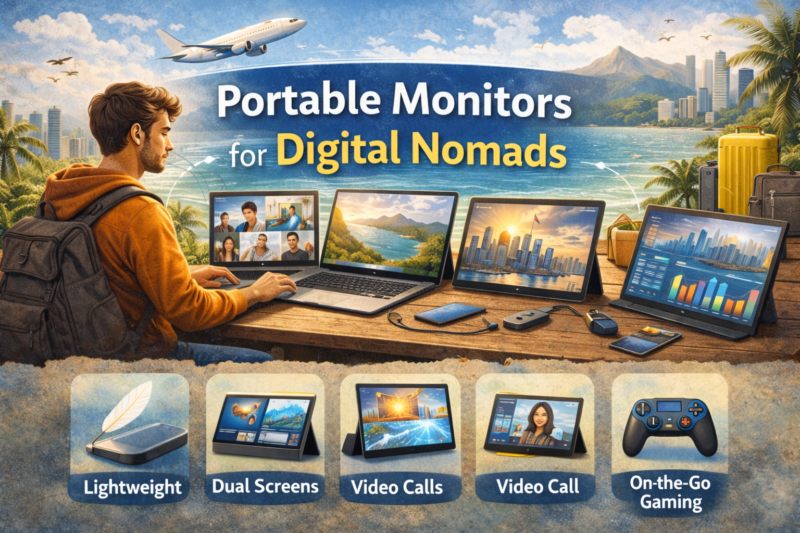
Portable Monitors for Digital Nomads
TLDR
- Portable monitors give digital nomads a second screen that boosts productivity for multitasking, coding, and content creation without weighing down a travel setup.
- Key features to look for include USB-C connectivity, weight and thickness, pass-through charging, and panel type for visual quality.
- Models range from budget-friendly options under $200 to premium screens with vibrant color and flexible stands that suit creative work.
- Portable monitors can also serve entertainment and collaboration needs beyond work tasks.
- Understanding how and when to use a portable monitor helps you decide whether it’s worth carrying for your specific remote workflow and travel style.
One of the realities of working on the road is that a single laptop screen often feels too small for real productivity. I remember the first time I tried working from two apps side by side on a 13-inch screen while hopping between locations.
It was a struggle, and that’s when I first picked up a portable monitor. That simple addition transformed how I worked in cafés, airport lounges, and Airbnbs alike.
Portable monitors aren’t a luxury anymore. They’ve become a practical tool for digital nomads who want to bring a multi-screen environment wherever they go.
Whether you’re comparing spreadsheets next to a video call, editing photos while referencing notes, or just managing email and tasks more comfortably, a second screen makes your setup feel more like a real office.
Studies suggest dual-screen setups can boost productivity significantly during complex tasks because they reduce window-switching and streamline workflows.
What Makes a Good Portable Monitor for Nomads
To choose a portable monitor that works well for remote work, you want to focus on a few core characteristics.
The first is portability itself. Nomad-oriented displays are designed to be lightweight and thin so they slip into a laptop bag without creating bulk. Some models weigh as little as around a pound or so, which hardly adds any burden to a carry-on load compared to bulky desktop monitors.
Second, connectivity matters. Modern portable monitors often use USB-C with DisplayPort Alternate Mode support. That means a single cable can handle power and video, reducing the tangle of wires and adapters you normally deal with when setting up extra screens in new places.
Some displays even support pass-through charging, so you can power both your laptop and monitor from one power source.
Third, pay attention to panel quality and resolution. Display technologies like IPS deliver good color accuracy and viewing angles, which are important if you’re doing work that involves graphics or detailed visuals. OLED panels, though pricier, offer deeper contrast and richer colors for creative tasks or multimedia.
Depending on what you do most of the time – data work, design, or media editing – this factor will sway your choice.
Benefits for Digital Nomads
So what does a portable monitor actually do for you? First, it dramatically expands your digital workspace. Tasks that require referencing multiple apps at once – like tracking analytics while drafting content – suddenly become less clunky. Instead of toggling windows back and forth, you spread them across screens in a way that feels natural and efficient.
Second, portable displays often come with features that make travel life easier. Many have a built-in kickstand or folio cover that doubles as a stand, eliminating the need for bulky accessories. When you’re setting up at a coworking space or a café table, a second display can be ready in minutes.
Third, the versatility goes beyond work alone. High-quality screens can double as entertainment displays for movie nights after work, or even connect to handheld gaming devices. This multipurpose use makes them a better investment compared to single-use gear you might only touch for work.
Popular Portable Monitor Styles and What They Offer
There’s a diverse range of portable monitors out there today, each catering to different needs. At the more affordable end are budget-oriented monitors that still offer solid productivity performance. These models typically provide full high-definition resolution, essential color coverage, and just enough ports to plug in quickly wherever you are.
On the higher end, there are premium choices that feature OLED or higher resolution panels for creative work. These screens tend to offer richer color reproduction and better contrast, which makes them enjoyable for both professional photo/video workflows and entertainment.
Some portable monitors also include touchscreen functionality, which adds another layer of usability – especially for presentations or annotating documents on the go. Meanwhile, lightweight options with dual USB-C ports and pass-through charging streamline your desk setup so that one cable does multiple jobs.
When a Portable Monitor Makes Sense
Not every nomad needs a portable monitor, and whether it makes sense for you depends on how you work. If your daily routine mostly involves one application at a time – say writing, budgeting or light email – you might be fine with a laptop screen alone.
But if your workflow often spans spreadsheets, project management dashboards, research tabs, and communication tools simultaneously, a second screen can be a productivity multiplier.
For creative professionals – graphic designers, video editors, photographers – the extra screen space is often almost essential. These tasks naturally involve working with multiple windows and visual assets that don’t fit neatly on one display.
Likewise, remote workers with long stretches of collaborative meetings and multitasking needs often find that an additional monitor reduces window clutter and helps them stay organized.
Trade-Offs to Consider
Of course, portable monitors come with a few trade-offs. Unlike your laptop screen, they don’t usually have a built-in battery, so they rely on a powered USB-C or laptop connection. That’s usually fine when you have access to a power source, but it means you need to plan ahead for power management when you’re working unplugged.
Because these monitors are designed for portability, you’ll also find that color accuracy and brightness can vary compared to full-size desktop displays. If you work in very bright outdoor environments, for example, some portable screens can be harder to read without a shade or optimal positioning.
And while many portable displays include a basic stand, pro-level ergonomic adjustability is still more limited than what you’d find on a desktop monitor.
Most portable monitors have a refresh rate of 60 Hz, which is fine for typical productivity work. But if part of your routine involves high-frame-rate gaming or fast motion video editing, you may notice that this refresh rate is more basic than what gaming-oriented portable screens offer.
Choosing the Right Portable Monitor
When you narrow down your choices, think first about size and weight. A 14- to 15.6-inch screen tends to strike a good balance for travel: large enough to be genuinely useful but small enough to carry every day. If you plan to use your monitor for both work and play, prioritizing good color accuracy and resolution will pay dividends.
Connectivity is next. USB-C with DP Alt Mode and pass-through power makes setup easier and cleaner because you’ll deal with fewer cables. Dual USB-C inputs are a bonus if you switch between devices such as a laptop and a tablet without needing to unplug and replug.
Lastly, consider sturdiness and build quality. A magnesium alloy frame or robust stand means your portable monitor can handle the bumps of travel life without wobbling on a café table. Light scratches and normal wear are part of nomad gear, but modular components that feel solid help ensure your screen lasts trip after trip.
Practical Tips From Experience
I still remember settling into a small coworking space in Southeast Asia with a tiny desk and jumbled guests around me. My first portable monitor was a modest screen with a simple USB-C connection.
Not long after setting it up I realized how much smoother my week became. Tasks that once felt cramped were suddenly spread out, and longer hours didn’t feel as tiring because I wasn’t constantly resizing windows and squinting at tiny details.
But I also learned a few things the hard way. One monitor I used earlier was quite basic in brightness, and in outdoor café settings the picture looked washed out under midday sun. After upgrading to a higher brightness IPS screen with better anti-glare properties, the difference was clear and made working outside much more practical.
These little experiential lessons help when you’re choosing your next screen and anticipating how and where you’ll work.
Conclusion
Portable monitors are one of those gear upgrades that genuinely elevate your remote work experience. For digital nomads, they strike a balance between mobility and productivity, giving you a second screen without demanding the space or weight of a traditional desktop setup.
From lightweight budget models to vibrant premium screens with advanced color reproduction, there’s a portable monitor out there for every nomad’s work style.
Thoughtful choices in size, connectivity, and display quality ensure that your nomad setup stays productive, flexible, and comfortable whether you’re writing code in a hostel or managing spreadsheets on a long train ride.