✈️Best Lightweight Laptop Under 2kg for Travel


TLDR
- A high-quality best lightweight laptop under 2kg dramatically upgrades workflow comfort for remote professionals on the move.
- Premium models like the Apple MacBook Air M4 and Lenovo ThinkPad X1 Carbon Gen 13 lead the market in structural endurance.
- Balancing chassis physical footprint against day-long battery longevity prevents unnecessary charging logistics during extended transit.
- Selecting form factors optimized for tight environments guarantees seamless performance across modern decentralized digital workplaces.
- Maximizing utility requires focusing on daily component tactile feedback over theoretical internal processing benchmark metrics.
If you have ever sprinted through a chaotic international airport terminal with a fully loaded backpack tracking a closing departure gate, you already understand why hardware weight is a critical metric.
On a specifications sheet, a variance of a few hundred grams looks completely minor. In day-to-day practical reality, carrying that continuous extra burden across transit hubs becomes an active physical strain.
When you compile a primary computer, charging bricks, supplemental hardware accessories, and travel paperwork, a mobile workspace setup shifts from manageable to restrictive.
For location-independent builders, online business operators, and remote specialists, minimizing gear weight is an essential productivity practice.
Fortunately, consumer hardware architecture has advanced to a state where ultra portable travel laptops no longer require sacrificing technical processing capability.
Modern high-efficiency components handle heavy multitasking, complex financial spreadsheets, corporate data structures, and continuous communication pipelines without turning your bag into a massive weight.
Let’s analyze the most reliable hardware setups leading the industry.
🎒 What Makes a Great Travel Laptop?
While total structural mass is the primary baseline factor, it should never be evaluated in total isolation from other physical attributes.
A machine that is exceptionally thin but fundamentally fragile will quickly fail when exposed to the continuous rigors of long-haul travel. True mobility requires an optimal intersection of energy efficiency, structural rigidity, and human interface comfort.
Long transit schedules involve unexpected connection delays, crowded terminals, and working out of spaces where power infrastructure is completely unavailable.
Furthermore, processing efficiency is irrelevant if your primary input device causes physical fatigue after an hour of active production. Ensuring you use highly responsive hardware directly impacts how comfortably you can manage your work output over long periods.
Prioritizing your daily hardware ergonomics alongside your core physical tools makes a profound difference in your creative focus.
Core Travel Metrics
- Total Chassis Mass: Aiming for platforms registering significantly under the maximum 2kg operational limit.
- Power Delivery Flexibility: Systems utilizing standardized charging inputs to eliminate proprietary power infrastructure.
- Chassis Structural Integrity: Premium metal alloys or carbon composites capable of managing continuous luggage compression.
- Panel Luminance Levels: Screen illumination reaching high nit thresholds to counteract aggressive outdoor ambient glare.
🍏 Apple MacBook Air M4
The Apple MacBook Air M4 represents a pinnacle of efficient design for professionals who prefer a Unix-based ecosystem while operating globally.
Built around an incredibly streamlined aluminum chassis, it handles heavy web development, multi-tab communication channels, and demanding content workflows without generating any physical noise.
Because the architecture operates entirely without mechanical fans, it eliminates internal dust accumulation risks while working in unpredictable environments.
The major benefit of this platform centers on its long energy runtime, allowing builders to execute full workdays without actively hunting for wall outlets.
For remote operators running dynamic businesses, keeping operational overhead low goes hand-in-hand with keeping your physical bag light.
This specific architecture functions reliably as an agile low-profile hardware deployment option for processing large workloads.
When you pack light, you also want to optimize your packing list by carrying the 15 gadgets every digital nomad needs to keep your mobile office fully functional.
Managing your administrative data through organized workflows keeps your digital ledger clean while this hardware keeps your physical footprint minimal.
🏢 Lenovo ThinkPad X1 Carbon Gen 13
For operators who rely exclusively on a Windows or Linux ecosystem, the Lenovo ThinkPad X1 Carbon Gen 13 remains a premier tool for enterprise productivity.
Utilizing specialized woven carbon fiber top covers, this series achieves an overall mass well below the 1kg threshold, making it one of the absolute thinnest laptops for remote work available.
It provides high physical impact resilience while keeping your overall travel luggage weight incredibly low.
The defining characteristic of the X1 Carbon line is its legendary typing experience, which features deep key travel and tactile feedback designed to minimize muscle strain during extended typing sessions.
When your primary income relies heavily on corporate consulting, extensive code deployment, or digital creation, your keyboard is your most important production tool.
This professional line relies on a durable carbon-fiber compound build design to maintain top-tier productivity standards.
Maintaining your equipment security is just as vital as hardware endurance, which is why keeping your data encrypted is essential.
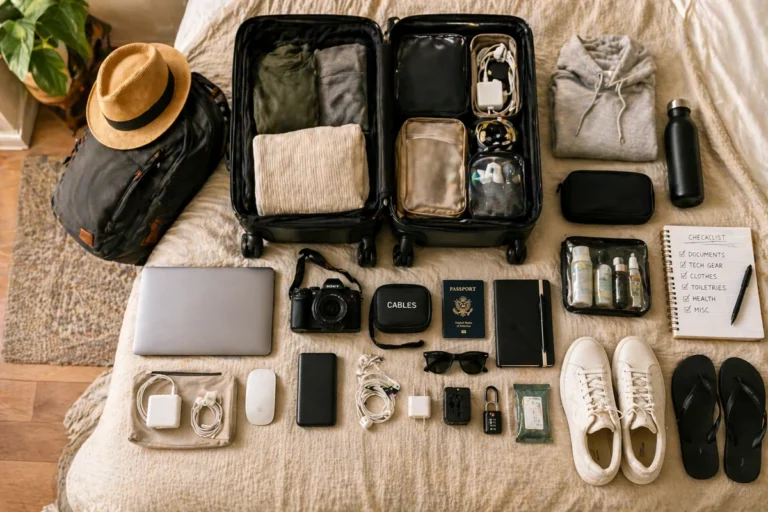
Before heading abroad with high-end corporate gear, review a thorough digital nomad packing checklist to confirm you have all necessary protective sleeves and tech organizers.
💡 Expert Tip: Power Security
When operating out of regional transit lines or remote venues, matching your lightweight laptop with specialized best power banks for long travel days guarantees your equipment stays completely powered through unexpected grid dropouts.
💻 ASUS Zenbook 14 OLED
The ASUS Zenbook 14 OLED has secured a strong position among digital creators and media managers who demand exceptional color accuracy on the move.
By integrating premium high-contrast display panels into an incredibly slim chassis, it allows users to perform detailed visual edits, photo grading, and website layouts with absolute color precision.
The high contrast ratios and rich color depth significantly reduce eye strain when working inside darkly lit transport cabins or bright coworking lounges.
Beyond its excellent display characteristics, this model delivers an impressive balance of processing power and competitive pricing, making it a stellar option for those looking for the best laptops under 2kg for nomads.
Investing in premium visual hardware allows content creators to maximize their output quality while maintaining highly mobile workflows.
If you plan to live in affordable remote hubs, comparing your options via a detailed budget breakdown bali vs chiang mai vs lisbon helps align your hardware costs with local living expenses.
🔍 Read More
Maximizing an agile creative setup requires more than just a premium laptop panel. If your business model requires handling massive datasets or multiple application windows simultaneously, exploring portable monitors for digital nomads can double your screen real estate without adding significant bulk to your travel gear.
📐 Dell XPS 13
The Dell XPS 13 represents a highly focused approach to minimalism, featuring an incredibly small physical footprint made possible by its thin display borders.
This compact design allows the machine to slide effortlessly into tight spaces, making it easy to use on cramped airplane tray tables, crowded coffee shop counters, and tiny hot-desking setups.
The machined aluminum and glass construction feels exceptionally durable, giving you peace of mind when packing your gear for long multi-city journeys.
For professionals navigating international transport routes, minimizing physical bulk is crucial for reducing friction during airport security screenings.
Keeping your core digital workspace highly organized allows you to maintain absolute operational continuity no matter where you are.
To prevent connectivity issues when hopping between global café tables, it pays to find the best vpns for travel remote work to secure your active browsing sessions.
Using clear asset trackers helps ensure your financial resources remain perfectly organized while your physical machine takes up minimal space.
- Bezel Architecture: InfinityEdge borders minimize total volume.
- Material Quality: CNC machined aluminum blocks paired with glass composite rests.
- Port Integration: Dual Thunderbolt architecture supporting seamless power routing.
🚀 Acer Swift Go 14
The Acer Swift Go 14 is an excellent choice for location-independent entrepreneurs who want a highly capable machine without the premium price tag.
This platform brings modern processing chips, fast memory configurations, and abundant built-in connectivity options down to an incredibly accessible price point.
It proves you do not need to spend a massive amount of money to secure a travel-friendly computer.
Lowering your hardware acquisition costs frees up valuable capital that can be redirected toward expanding your core business or securing essential operational protections.
For instance, learning how to build passive income while traveling allows you to fund your mobile workspace upgrades entirely through automated revenue streams.
Investing in comprehensive financial safety protocols keeps your remote business running smoothly without unexpected disruptions.
| Hardware Feature | Component Implementation |
| Port Layout | Dual USB-C, HDMI 2.1, Multi-Slot Card Reader |
| Chassis Composition | Anodized Aluminum Components |
| Thermal System | Dual-Fan Dynamic Airflow Management |
| Upgradability | Accessible Secondary Storage Slot Configurations |
🎛️ Microsoft Surface Laptop
The Microsoft Surface Laptop lineup is built for professionals who want a clean, minimalist Windows experience.
Its sleek, clutter-free design language eliminates unnecessary visual distractions, allowing you to focus entirely on your core business tasks.
The light, balanced chassis can be opened effortlessly with a single finger, and its comfortable typing deck is ideal for writers and consultants who spend hours drafting proposals or managing client communications.
Its seamless integration with modern enterprise ecosystems makes it a highly dependable daily driver for remote workers who manage their projects through cloud-based platforms.
When your business relies on maintaining constant connection with global clients, your hardware needs to support your daily operational workflows without adding unneeded technical friction.
Many location-independent professionals utilize these machines to look for sustainable work options through the top remote job boards for digital nomads online.
- Screen Layout: The 3:2 panel format provides extra vertical space for editing code and reading long documents.
- Enclosure Finish: Anodized aluminum panels resist fingerprints and scratches during transit.
- Security Integration: Windows Hello facial authentication enables fast, passwordless logins at security checkpoints.
📏 Why 14 Inches Is Often the Sweet Spot
Many new travelers mistakenly believe that picking the absolute smallest screen size is always the best strategy for a mobile lifestyle.
However, working on a tiny display for months at a time can quickly lead to eye strain and reduced efficiency.
A 13-inch display is undeniably easy to pack, but it can feel restrictive when you need to view multiple documents side-by-side or manage dense spreadsheets.
On the flip side, large 15-inch or 16-inch models give you plenty of workspace but can feel incredibly clumsy and heavy when working from a narrow café table or an economy airplane seat.
When choosing a bag to haul your 14-inch gear safely, checking out the best travel backpacks for digital nomads ensures your main workstation sits in a protected, ergonomic compartment.
For most remote workers, a 14-inch display hits the absolute sweet spot for long-term comfort.
This size gives you enough screen real estate to multi-task efficiently without making your laptop a heavy burden to carry around.
It is no surprise that many of the best lightweight performance laptops for travel use this exact form factor to balance productivity and portability.
⚡ Features Worth Paying Extra For
When configuring your mobile hardware setup, it is easy to get caught up spending money on top-tier processor upgrades that you might never actually push to their limits.
For most remote professionals, spending your budget on features that directly improve your daily working comfort is a much smarter investment.
One of the most valuable upgrades you can buy is a high-brightness display panel.
Having a screen that can output 500 nits or more means you can work comfortably from a sunny beachside café or a brightly lit outdoor terrace without constantly fighting distracting glare and reflections.
Another essential feature to look for is a system built entirely around universal USB-C charging standards.
Being able to charge your laptop, your smartphone, and your wireless accessories with a single, compact power brick saves an incredible amount of space in your bag.
To round out your remote office setup, bringing along a pair of premium noise cancelling headphones for travel ensures you can focus in loud airport environments or busy coworking spaces.
Additionally, opting for extra internal memory helps keep your machine running smoothly when you have dozens of browser tabs, communication apps, and project management tools open all at once.
Spending extra on these practical components will make your daily workflows much easier to manage over the long haul.
🛑 Common Travel Laptop Mistakes
A frequent misstep many digital nomads make is purchasing a heavy gaming laptop to use as their primary machine for everyday remote work.
While these high-powered computers are great for handling intense graphical tasks, their large internal cooling fans, bulky power supplies, and poor battery life quickly become incredibly frustrating to manage on long international trips.
Unless your career specifically requires rendering complex 3D graphics or editing high-resolution video all day long, carrying around that extra weight is rarely worth the hassle.
To protect your business from other common travel risks, investing in proper international health insurance for remote workers is just as vital as protecting your physical technology assets.
Another common pitfall is focusing too much on theoretical processing benchmarks instead of looking at how the machine performs in real-world conditions.
Most remote business owners spend their days using web browsers, messaging platforms, and cloud-based productivity software.
For these types of daily tasks, choosing a laptop with excellent battery life, stable wireless connectivity, and a comfortable keyboard is far more important than having the absolute fastest processor on the market.
Before booking long stays to test out your new hardware gear, it is smart to review a complete booking com vs airbnb the long stay nomad showdown to optimize your accommodation budget.
Protecting your physical equipment with a rugged, well-padded case is also vital for ensuring your machine survives the inevitable bumps and drops of international travel.
- Ignoring Power Draw: Choosing power-hungry processors that drain your battery in just a few hours.
- Neglecting Ergonomics: Buying a shallow, uncomfortable keyboard that slows down your daily typing speed.
- Overlooking Ports: Selecting a machine that requires you to carry a frustrating collection of extra dongles just to connect your basic accessories.
🏆 Which Lightweight Laptop Is Best Overall?
The perfect travel laptop ultimately depends on your personal workflow requirements, your preferred operating system, and your available budget.
For professionals who are already fully integrated into the Apple ecosystem, the MacBook Air M4 stands out as one of the best travel laptops for 2026 due to its exceptional energy efficiency and silent, fanless design.
Windows users who want a high-end, premium ultraportable experience will likely find themselves choosing between the refined design of the Dell XPS 13 and the durable, business-focused build of the Lenovo ThinkPad X1 Carbon.
To safely manage the income generated from your mobile setups, it is crucial to establish the best multi currency bank accounts for nomads to reduce unnecessary conversion losses across different borders.
On the other hand, if you are looking to maximize your value for money, the Acer Swift Go 14 and the ASUS Zenbook 14 OLED are both fantastic options that offer brilliant displays and modern performance at a more accessible price point.
🎯 Conclusion
Your primary laptop is the absolute heart of your remote business operations, and it should never feel like a heavy physical burden when you are moving between destinations.
The latest generation of high-efficiency processors proves that you no longer have to make major compromises on performance just to keep your gear light and portable.
Choosing a dependable machine that fits easily into your favorite travel bag allows you to work productively from absolutely anywhere.
Whether that is a modern coworking space or a quiet airport lounge during a long connection layover, the right hardware keeps you connected.
When you invest in a machine that handles your daily workloads smoothly while keeping your pack light, managing your global business becomes an incredibly seamless experience.
Minimizing your physical gear weight leaves you with more energy to focus on growing your income, scaling your projects, and enjoying the incredible freedom of a location-independent lifestyle.