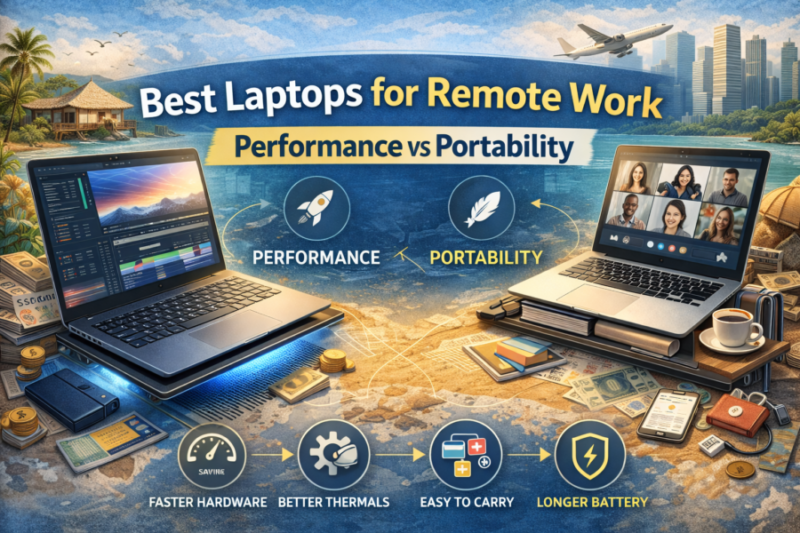
Best Laptops for Remote Work (Performance vs Portability)
TLDR
- The Apple MacBook Air with Apple Silicon delivers excellent battery life and portability for most remote professionals.
- Dell XPS series strikes a strong balance between performance and slim design for work and travel.
- Lenovo ThinkPad models offer durability, reliable keyboards, and business-ready performance.
- HP Spectre x360 and Surface Laptop variants provide flexibility and touchscreen options for hybrid work.
- High-performance mobile workstations exist for demanding workloads but sacrifice portability for power.
Choosing a laptop for remote work isn’t as simple as grabbing the most powerful model on the shelf. You’re juggling two needs: performance to keep your productivity tools running smoothly, and portability so you won’t dread carrying it from one city, café, or coworking space to the next.
I’ve spent years bouncing between continents with a laptop on my back, and I’ve learned that understanding where performance ends and portability begins makes a huge difference in your daily workflow.
Let’s break down what matters most in 2026, and explore the machines that strike different balances between raw power and ease of mobility.
What Remote Workers Need in a Laptop
Before we dive into specific models, it’s helpful to frame what you’re actually optimizing for.
First, battery life is king. If you’re in long meetings or deep work sessions without access to power outlets, 10 to 18 hours of real-world battery life can mean the difference between stress and smooth productivity. Real test data for current laptops shows that modern designs emphasize efficiency alongside performance.
Second, weight and size matter more than specs on paper. Sub-3 pound devices (around 1.3 – 1.6 kilograms) are noticeably easier to carry every day. Even a half-pound difference adds up when you’re trekking between coworking spaces or navigating airports with a backpack.
Finally, performance isn’t just about benchmarks. It’s about the type of work you do. For heavy video editing or virtual machines, you want higher-tier processors and dedicated graphics options. For typical remote tasks – spreadsheets, documents, web apps, and video calls – modern integrated processors with good battery optimization often give better overall value.
Apple MacBook Air with Apple Silicon
One of the standout laptops for remote professionals in recent years has been the Apple MacBook Air powered by Apple Silicon chips. The latest iterations deliver remarkable battery life along with enough processing power to handle multiple applications, large spreadsheets, video calls, and even light creative work without breaking a sweat.
One of the big advantages of Apple Silicon is its unified memory architecture and power efficiency. That translates into a laptop that stays cool, runs silently without fans, and keeps going for most of a workday without a charge. The lightweight chassis and high-quality display also make it comfortable to use on airplanes, trains, or in outdoor spaces. If your work doesn’t require high-end dedicated graphics, the MacBook Air sits right in a sweet spot for performance and ultra-portable design.
Dell XPS Series
Dell’s XPS lineup – particularly the XPS 13 and XPS 15 models – has long been a favorite for professionals seeking a balance of power and elegance. These machines combine powerful Intel processors with premium build quality and slim profiles that are easy to carry daily.
The XPS 13 tends toward the portable side, weighing around 2.6 to 3 pounds while still offering responsive performance for most tasks. The larger XPS 15 pushes a bit toward performance with bigger screens and more powerful components, but it remains surprisingly slim given its power.
Both models have excellent displays and robust port selections, which can make them more versatile than lighter ultraportables that skimp on connectivity.
For remote workers who routinely juggle spreadsheets, collaboration tools, video calls, and creative apps, the XPS line provides a solid blend of performance and size without feeling bulky on the go.
Lenovo ThinkPad Family
The Lenovo ThinkPad series is a perennial pick among business professionals, and for good reason. ThinkPads are built with sturdy chassis designs, excellent keyboards, and strong performance that handles everyday work with ease.
Variants like the ThinkPad X1 Carbon combine lightweight portability (often near 2.5 pounds) with dependable performance and long battery life.
Another big plus for ThinkPads is their robust security and durability features. Many models meet military-grade testing standards and include features like privacy shutters on webcams and strong BIOS-level security options.
If your remote work requires reliability across changing environments, or if you spend long hours typing, a ThinkPad might feel more comfortable in your hands over time than sportier ultraportables.
HP Spectre x360 and Convertible Designs
If you want a laptop that can bend to your workflow, convertible models like the HP Spectre x360 bring added flexibility. These designs flip into a tablet mode, making them useful for presentations, note taking, or creative workflows that benefit from touchscreen input.
Spectre devices generally offer competitive performance while maintaining a premium build and long battery life.
The trade-off is sometimes a bit more weight compared to the lightest ultraportables, and battery life can vary depending on configuration and display options. However, if adaptability and touchscreen interaction enhance your remote workflow, the hybrid nature of these laptops is worth considering.
Microsoft Surface Laptop Models
Microsoft’s Surface Laptop line blends clean aesthetics with reliable performance and ease of use. These machines tend to offer solid battery life, high-resolution displays, and comfortable keyboards in a lightweight chassis.
They usually integrate well with collaboration tools like Microsoft Teams and Outlook, which many remote professionals use daily.
Surface models often deliver a straightforward, capable experience without diving into the extremes of workstation power or ultra-thin portability. For day-to-day work, presentations, and seamless integration with Windows productivity tools, they strike a comfortable mid-range balance.
High-Performance Mobile Workstations
For remote workers tackling computationally demanding tasks – think video editing, data analysis, engineering workflows, or virtual machines – there are laptops that prioritize performance first.
These machines are often categorized as mobile workstations. They pack higher-tier processors, large amounts of RAM, and professional-grade GPUs or graphics options.
The trade-off? They’re heavier and bulkier than the ultraportables most digital professionals prefer. Battery life typically drops as components sip more power. However, if your day includes resource-intensive projects and you can tolerate occasional bulk, a workstation-class laptop becomes a powerful portable studio.
Models in this category deliver exceptional performance and comprehensive port options. In many cases, they also include robust build quality and thermal systems to manage heavier loads. They’re not for every nomad, but when raw performance is essential, they’re worth a look.
How to Choose Based on Your Workflow
So how do you pick the right laptop for your remote work? I like to think of it as matching the machine to your day-to-day rhythm.
If your everyday work is light to moderate – spreadsheets, writing, video calls, design tools sometimes – look for a machine that emphasizes battery life and portability. Apple Silicon Macs or ultraportable Windows laptops typically shine here.
If your workload includes heavier applications – photo or video editing, large datasets, virtualization – then stepping up to a more capable machine with higher memory and CPU power makes sense, even if that means slightly more weight.
Think along the lines of larger Dell XPS models or convertible machines that don’t compromise on performance.
For specialists whose work demands extended multi-core performance or dedicated graphics, mobile workstations provide the kind of muscle that traditional ultraportables can’t match – just be prepared for shorter battery life and more bulk.
In my early nomadic days, I picked a laptop that was extremely light, only to find myself frustrated when editing larger video files or managing multiple heavy apps.
When I finally moved to a slightly more capable machine with better cooling and more memory, I noticed a tangible improvement in how long I could work without lag or frustration. Your own workflow might find a similar sweet spot between ultra-light portability and necessary performance.
Conclusion
Remote work laptops continue to evolve, and in 2026 you have excellent choices that let you tailor your hardware to your lifestyle. If your work is mostly productivity tools and you value all-day battery life, lightweight models like the MacBook Air or ultraportable Windows options fit beautifully.
If your work demands robust performance for heavier software, stepping up to a more powerful machine – even at the cost of a bit more weight – can boost your productivity.
Lenovo’s business-centric designs offer reliability and durability, Dell’s XPS line blends style with performance, hybrid models like HP Spectre add adaptability, and full workstations deliver maximum muscle for heavy workloads.
Understanding your own needs and how you work on the go will guide you to the best choice – and once you find that balance between performance and portability, your remote lifestyle gets that much smoother.
Blog
-

Freelancing vs Remote Job: What’s Better for Nomads?
If you want to live and work from anywhere, do you build a freelance career, or do you land a remote job?
-

Top Travel Credit Cards for Digital Nomads
If you travel regularly while earning remotely, the right credit card is one of your most useful financial tools.
