Travel WiFi Hotspots Compared
TLDR
- Portable WiFi hotspots provide secure, private internet compared to public networks, making them essential for remote work
- eSIM-based hotspots and SIM-enabled devices now dominate due to flexibility and global coverage
- Speed and reliability depend heavily on local carrier partnerships, not just the device itself
- Data pricing varies widely between pay-as-you-go, daily passes, and monthly plans
- The best option depends on your travel style, with no single device fitting every nomad
Reliable internet is not a luxury when you’re working remotely. It’s the backbone of everything you do. Client calls, uploads, backups, payments. Without stable access, things fall apart quickly.
If you’ve spent any time working from cafés or random Airbnbs, you already know how inconsistent public WiFi can be. Some days it works fine. Other days, you’re reconnecting every ten minutes while trying not to lose your mind.
That’s where portable WiFi hotspots come in. They give you your own private connection, independent of whatever network happens to be available around you. But not all hotspots are built the same, and the differences matter more than most people expect.
Let’s break down what actually separates a good setup from a frustrating one.
What a Travel WiFi Hotspot Actually Does
At its core, a portable hotspot connects to a local mobile network and shares that connection with your devices over WiFi. Think of it as a mini router that fits in your pocket.
Most modern devices support multiple connections at once, so your laptop, phone, and tablet can all stay online through the same hotspot. That alone simplifies things when you’re juggling work across devices.
The real advantage, though, is control. You’re no longer dependent on public networks, which are often slow, unsecured, or both.
SIM-Based vs eSIM Hotspots
This is one of the biggest distinctions right now, and it’s worth understanding before you buy anything.
SIM-based hotspots use physical SIM cards. You insert a local SIM in each country, just like you would with a phone. This approach often gives you the best value because local data plans are usually cheaper than global ones.
The downside is the hassle. You need to find a provider in each country, deal with activation, and sometimes navigate language barriers or registration requirements.
eSIM hotspots take a different approach. They come with built-in digital SIM profiles that can connect to networks in multiple countries without swapping anything physically.
This makes them incredibly convenient. You can land in a new country, turn on your device, and get online within minutes. The trade-off is cost. Global data plans tend to be more expensive per gigabyte than local SIMs.
From experience, the convenience of eSIM becomes more valuable the more frequently you move.
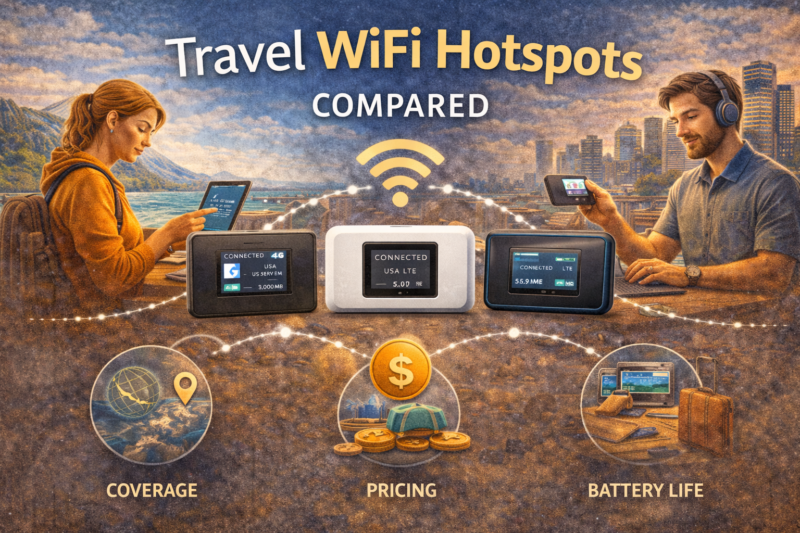
Coverage Matters More Than the Device
It’s easy to get caught up in hardware specs, but coverage is what really determines your experience.
Hotspot providers partner with local telecom networks. The quality of those partnerships affects everything. Speed, stability, and even whether you get a connection at all.
A device might support 4G or 5G, but if the underlying network is weak in your area, it won’t help much. This is especially noticeable in rural regions or smaller cities.
When comparing options, you want to look at which networks a provider uses in your most common destinations. That tells you far more than any marketing claim.
Speed and Real-World Performance
In theory, many hotspots now support high-speed connections, including 4G LTE and even 5G in some cases. In practice, speeds vary widely.
Factors like network congestion, signal strength, and data prioritization all play a role. Some providers throttle speeds after a certain usage threshold, especially on “unlimited” plans.
Video calls, large file uploads, and cloud-based work can expose these limitations quickly. If your work depends on stable bandwidth, this is not something you want to discover mid-call.
Personally, I’ve found that consistency matters more than peak speed. A steady connection at moderate speed beats a fast but unstable one every time.
Data Plans and Pricing Models
Hotspot pricing is not standardized, and this is where things can get confusing.
Common structures include:
- Pay-as-you-go data, where you buy a set amount of gigabytes
- Daily passes that give you a fixed data allowance per day
- Monthly subscriptions with regional or global coverage
- “Unlimited” plans that often include fair usage limits
The right choice depends on how you work. If you’re mostly handling emails and light browsing, smaller plans may be enough. If you’re uploading videos or working with large files, you’ll need significantly more data.
It’s also worth noting that some providers charge different rates depending on the country. A gigabyte in one region can cost several times more than in another.
Battery Life and Practical Use
Battery life is one of those details that doesn’t seem important until it suddenly is.
Most portable hotspots last between 6 to 15 hours depending on usage. Heavy tasks like video calls or multiple connected devices drain the battery faster.
If you’re working from cafés or moving around during the day, a device with solid battery performance makes a noticeable difference. Otherwise, you end up carrying a power bank anyway, which adds bulk.
Some hotspots can also be used while charging, which is useful for longer work sessions.
Security Advantages Over Public WiFi
Security is often overlooked, but it’s a real concern when you’re working online across different countries.
Public WiFi networks are not always secure. Data can potentially be intercepted, especially on unsecured networks. This becomes more relevant if you’re handling sensitive information, financial transactions, or client data.
A personal hotspot gives you a private, encrypted connection through a mobile network. That alone reduces a lot of risk.
It doesn’t replace other security measures, but it’s a strong baseline.
I’d recommend you always, ALWAYS, use a VPN.
Popular Types of Devices in the Market
While brands change over time, most travel hotspots fall into a few broad categories.
Dedicated hotspot devices are purpose-built for sharing internet connections. They usually offer the best battery life and support multiple devices efficiently.
Mobile routers are slightly more advanced. They often include Ethernet ports or extended range, making them useful if you’re setting up a more stable workspace.
Smartphone-based hotspots are the simplest option. Most modern phones allow tethering, but this drains battery quickly and can overheat during heavy use.
Each option has its place. For short trips, your phone might be enough. For long-term travel, a dedicated device is usually worth it.
When a Hotspot Makes Sense
Not every nomad needs a dedicated hotspot, but there are clear situations where it becomes valuable.
If you rely on stable internet for income, having a backup connection is almost non-negotiable. It’s less about convenience and more about risk management.
It also makes sense if you move frequently between countries. The ability to stay connected immediately after landing removes a lot of friction.
On the other hand, if you tend to stay in one place for months (for example if you’re an expat dad) and have reliable home internet, a local SIM or fixed connection might be more practical.
Building a Reliable Setup
The best approach is rarely relying on a single solution.
A combination often works best. For example, a local SIM for daily use and a portable hotspot as a backup. Or an eSIM hotspot paired with café WiFi when speeds are good.
This layered approach reduces the chances of being completely offline when something goes wrong.
From experience, the peace of mind alone is worth it. You stop worrying about whether the next place will have decent WiFi and focus more on your work.
Conclusion
Travel WiFi hotspots are not just gadgets. For many digital nomads, they are part of the core infrastructure that keeps everything running.
The right choice depends on how you travel, how much data you use, and how much reliability you need. There is no single perfect option, but there is definitely a setup that fits your workflow.
Once you find that balance, working from anywhere becomes a lot smoother. Fewer interruptions, fewer surprises, and a lot more control over how you stay connected.